Why does the G/L balance for foreign suppliers not match their invoice balance?
Overview
It is possible that the total value of the supplier invoices for a foreign supplier won’t match their account balance when they are converted to your Local currency. This is because the translation Exchange rate may not be the same.
Because the invoices have not undergone any actual translation, then this is not an issue as long as the account balance and total invoice value match in the foreign currency.
Using the Outstanding supplier invoice summary
The Outstanding supplier invoice summary (SA3553) can be used to view the account balances and total invoice values for each supplier in the local and foreign currencies. If the supplier is not an overseas supplier, the foreign currency and local currency values will match.
Locating a supplier in the Outstanding supplier invoice summary
- Press CTRL-SHIFT-R and enter SA3553. Alternatively, you can navigate to Accounts payable > Report > Suppliers and select Outstanding supplier invoices summary.
- Locate the relevant supplier in the summary or by entering the supplier code into the Supplier code field.
- You can filter to only show foreign suppliers by selecting OVERSEAS in the Supplier type field.
- The Balances as at date field will pre-fill with the current date. You can update this to view the values at different dates (e.g. the end of the previous month)
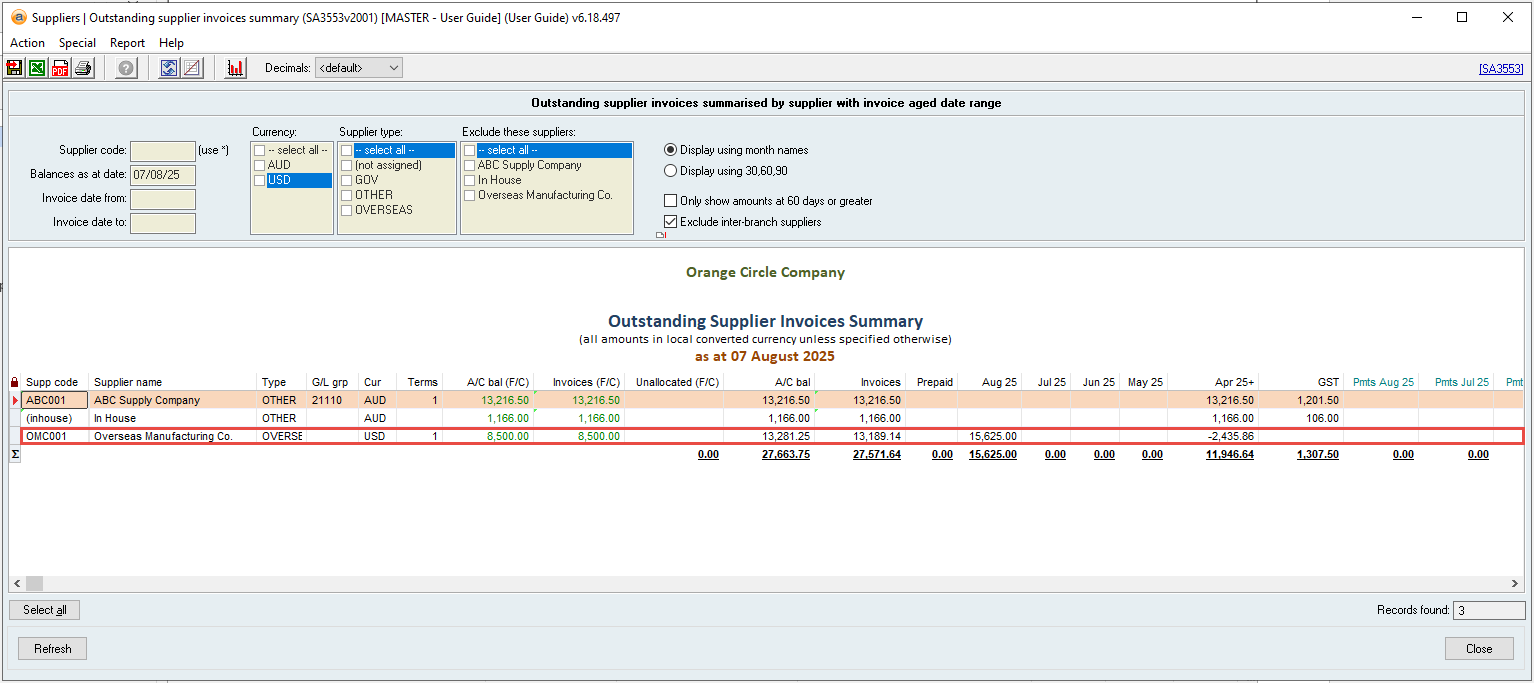
Checking the account balance and total invoice values
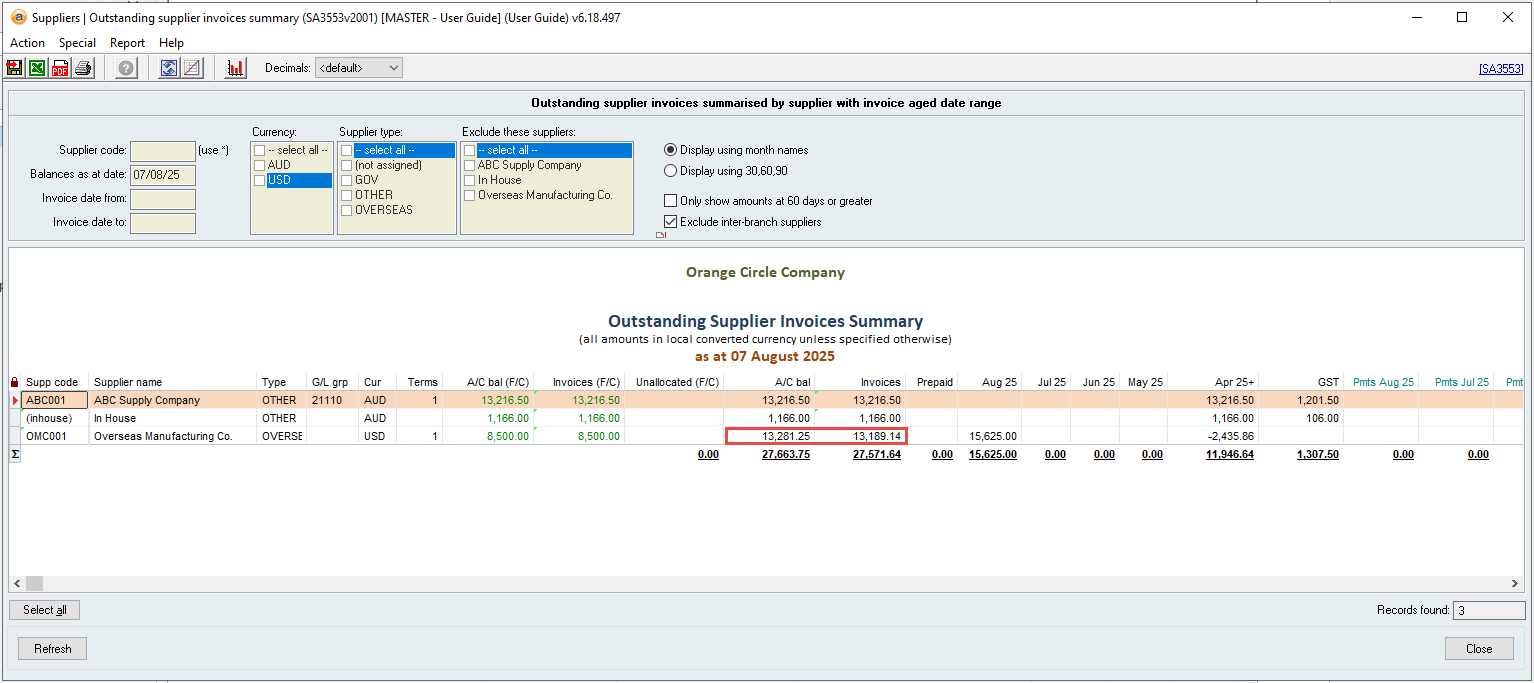
- Navigate to the A/C bal and Invoices columns for the relevant supplier and compare these values.
- These values are the amounts translated to your local currency.
- For foreign suppliers, it is normal for there to be a discrepancy between these values.
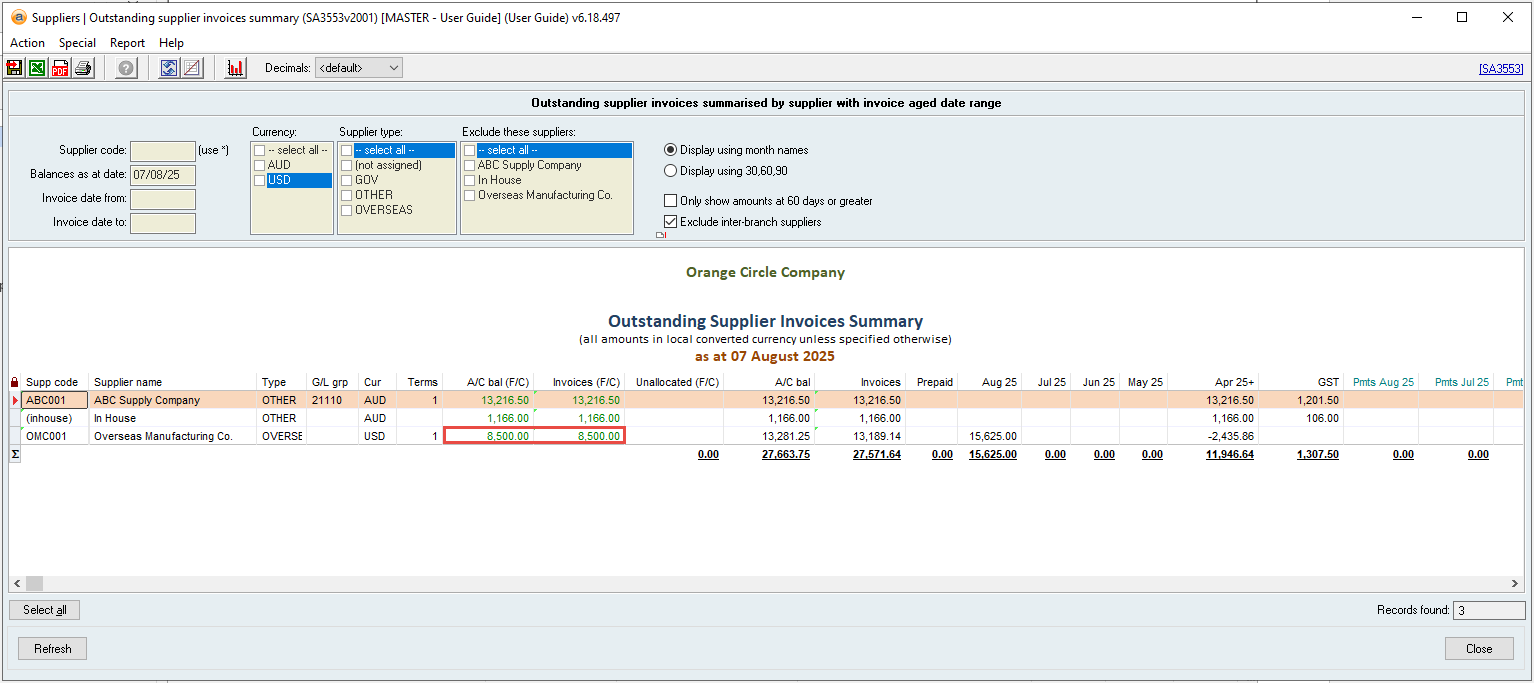
- Navigate to the A/C bal (F/C) and Invoices (F/C) columns for the supplier and compare these values.
- These values are the amounts in the foreign currency and have not been translated.
- These values must be the same.
Additional Notes
The translated values may not match because the translation exchange rate that is being used may not be the same.
- Supplier account balances are translated using the current average exchange rate of the supplier in the General Ledger (the actual balance sheet values).
- Supplier invoices are translated at the exchange rate of the day which they were generated.
These are not always the same because the supplier’s G/L account has other transactions that move different exchange rates into and out of the account, causing the average exchange rate to differ.
Did you find this article helpful?
If this article is missing information, ambiguous, or didn’t give you clear instructions, let us know and we will make it better! Please email us and quote the KB# in the top right of this article to let us know why it didn’t help you out and we will point you in the direction of additional information.
Last edit 07/08/25