ERROR removing work order action: Removing this action will cause the quantity committed to be more than the qty requested
Quick Answer
You are attempting to remove a work order action that created a negative commitment which, if removed, would cause the total quantity committed to be more than the total quantity requested.
Overview
When attempting to remove or reverse a work order action, you may receive an error saying:
Error removing work order action
Removing this action will cause the quantity committed to be more than the qty requested. Unable to continue.
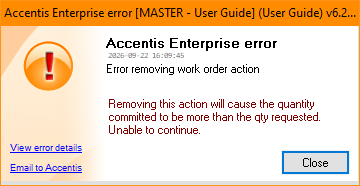
This is likely because the action you are attempting to remove committed a negative quantity.
What is the cause?
Because the quantity requested for the work order can never be below the quantity committed, if you commit a negative quantity and then lower the quantity requested, you will be unable to uncommit the negative quantity.
For example:
Say you have a work order with a Quantity Requested and Quantity Committed of 15 and you create a commit action for -5 units. The new Quantity Committed is now 10. Then, you edit the work order and change the Quantity Requested to 10.
If you attempt to now remove or reverse the -5 commit action, you will be in essence adding 5 back to the Qty committed, causing it to be more than the Qty requested.
Solution
To remove the negative commit action, you will first need to increase the work order Quantity requested. The amount to increase must be sufficient so that after deletion of the negative commit action, it will still be higher than the total quantity committed.
Once you have removed all the desired actions, you can then edit the work order and set the correct quantity requested (so long as it is greater than the quantity committed).
Did you find this article helpful?
If this article is missing information, ambiguous or didn’t give you clear instructions, let us know and we will make it better! Please email us and quote the KB# in the top right of this article to let us know why it didn’t help you out and we will point you in the direction of additional information.
Last edit: 24/09/2026