Why does it say my tax scales are out of date?
Quick Answer
The Effective to date on one or more of your tax scales has passed.
Overview
Tax scales form the basis of the calculations used to determine the tax payable by an employee on their wages.
When creating a new pay run, you may receive a warning message saying that one or more of your tax scales is out of date.
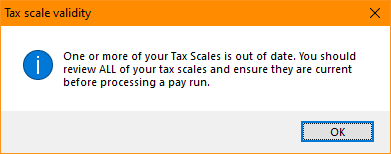
There are a few reasons why your tax scales may be out of date, including if:
- New internal tax scales haven't been loaded at the start of a new financial year;
- Custom tax scales that have been created in the past haven't been updated; or
- Custom tax scales have been created with an expired date.
Before re-loading new ones, it is important to first confirm the cause to prevent any issues in the future.
New internal tax scales haven't been loaded
Each year around June, Accentis sends out an end of year payroll processing bulletin that includes updated tax scales for the upcoming financial year.
These tax scales are typically set to expire at the end of the relevant financial year.
If new tax scales are not imported into your database by the start of the new financial year, your tax scales will be out of date.
If you need new tax scales and process re-sent, or you haven't received them when you believe you should, please contact our support team at [email protected].
Custom tax scales have not been updated
Any custom tax scales, such as employee PAYG withholding variations, won't be updated automatically when new tax scales are imported at the end of the financial year.
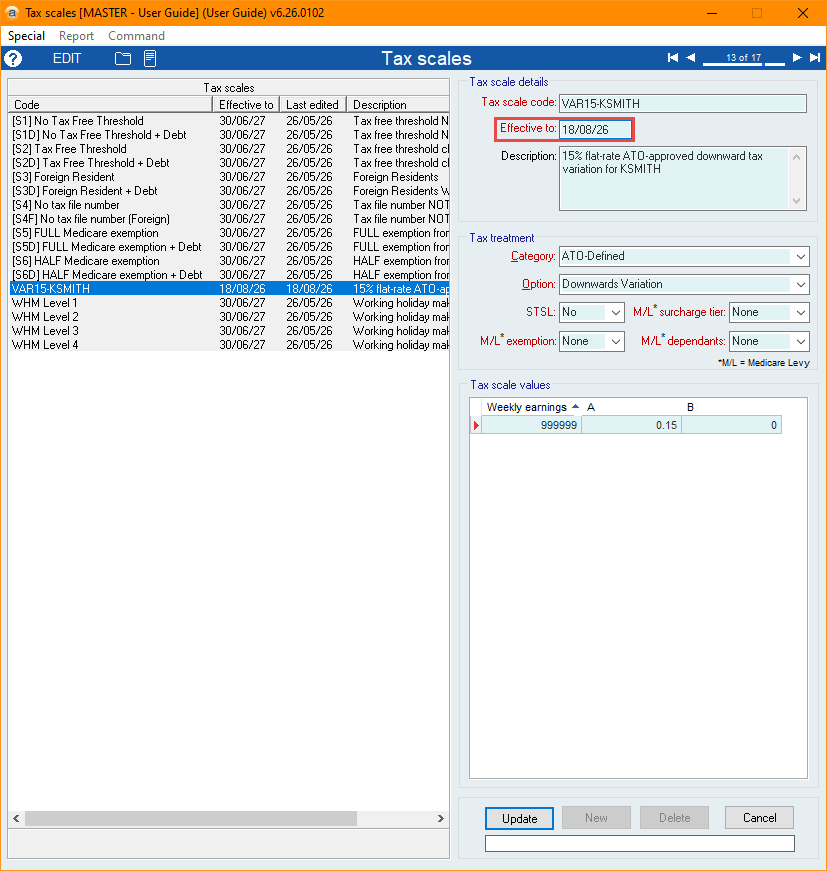
For any custom tax scales, you will need navigate to the Tax scales form (Payroll > Setup > Tax scales...) and check them manually to make sure their configurations are still current.
Once they're checked, edit the relevant tax scales and enter an updated Effective to date. If you need to update a large number of tax scales, you can also use SA4884 - SET Tax Scales EFFECTIVE date from the command menu to update them in bulk.
Custom tax scales added with expired dates
When creating new tax scales from the Tax scales form, you are required to enter an Effective to date. If this date is set in the past, the tax scale is considered to have already expired and so will cause the error to appear.
You will need navigate to the Tax scales form and check them manually to make sure their configurations are still correct, and update their Effective to date.
Did you find this article helpful?
If this article is missing information, ambiguous or didn’t give you clear instructions, let us know and we will make it better! Please email us and quote the KB# in the top right of this article to let us know why it didn’t help you out and we will point you in the direction of additional information.
Last edit: 01/09/2026