How to format Accentis Enterprise Searches for printing
Basics of printing searches from Accentis Enterprise
When you print a PDF of a search (that is, an internal report, not a formatted Crystal report), Accentis Enterprise will take the data that you see on the screen only, resize columns width proportionally to fit on the paper size you have selected when printing (either portrait or landscape). The report will print the data in the columns that are visible on the window, Example 1.
Before you print, you can customise the report by hiding columns and adjusting the width of the columns so that what you see on the report window on the screen is exactly what will print out, Example 2.
Adjusting the display of the report before printing
To hide a column, right click on the column and select Hide this column.
To un-hide columns, right click on the column and select Unhide all columns.
To adjust the column width, hover the mouse between the columns and drag the column divider. You can also hold CTRL and use the mouse wheel to micro-adjust quickly.
If the text in the column is not all visible, then it may not appear when printed unless you change the settings in the search manager to allow wrapping of printed data.
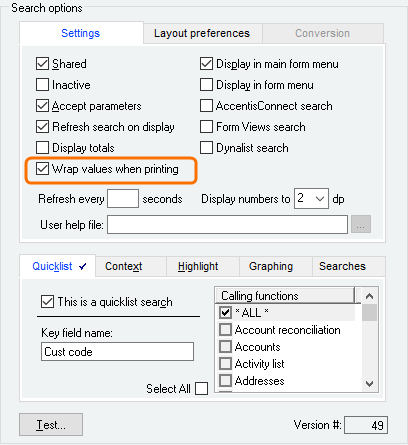
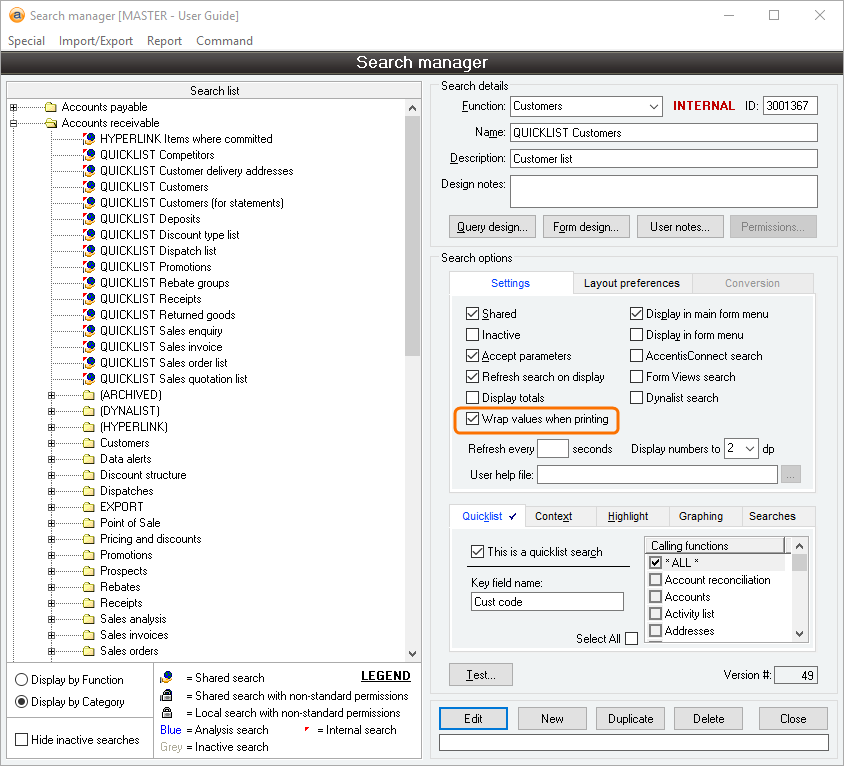
To do this, click the report ID in the right-hand corner of the window. Once the search manager window appears, click Edit. Under search options, select ‘Wrap values when printing’ and click Update. The data in the columns will now wrap onto multiple lines.
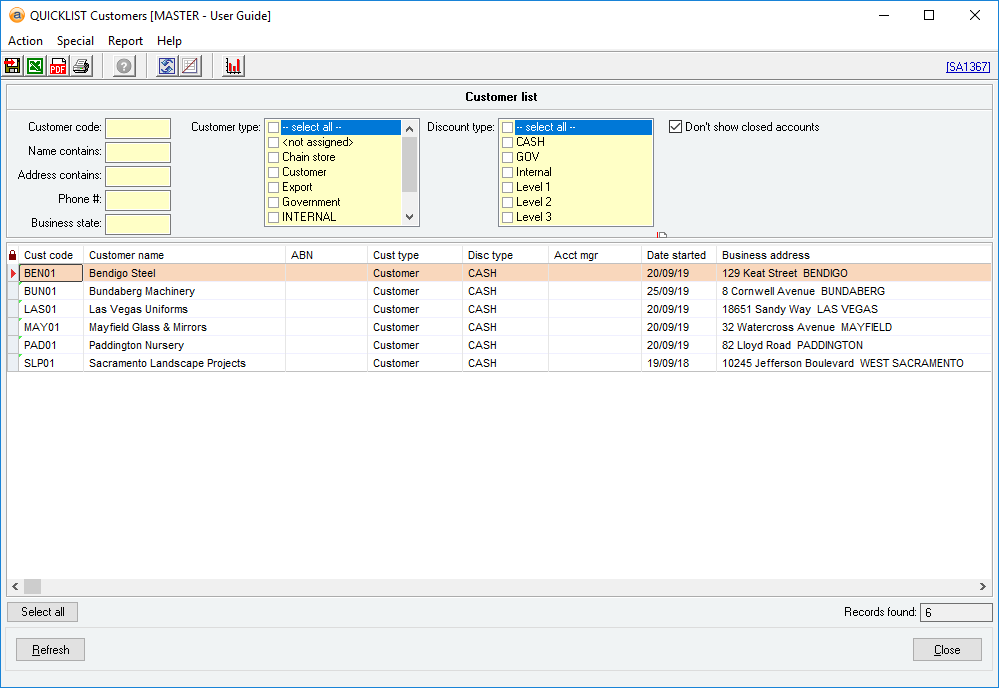
Example 1
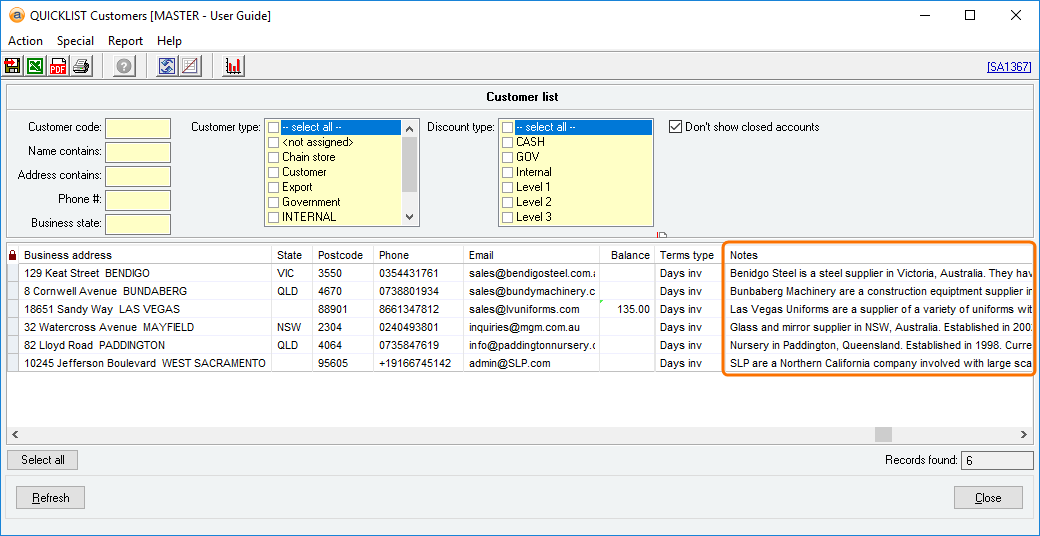
In the example below, see how the report appears without adjusting the columns and without selecting Wrap values in Accentis Enterprise:

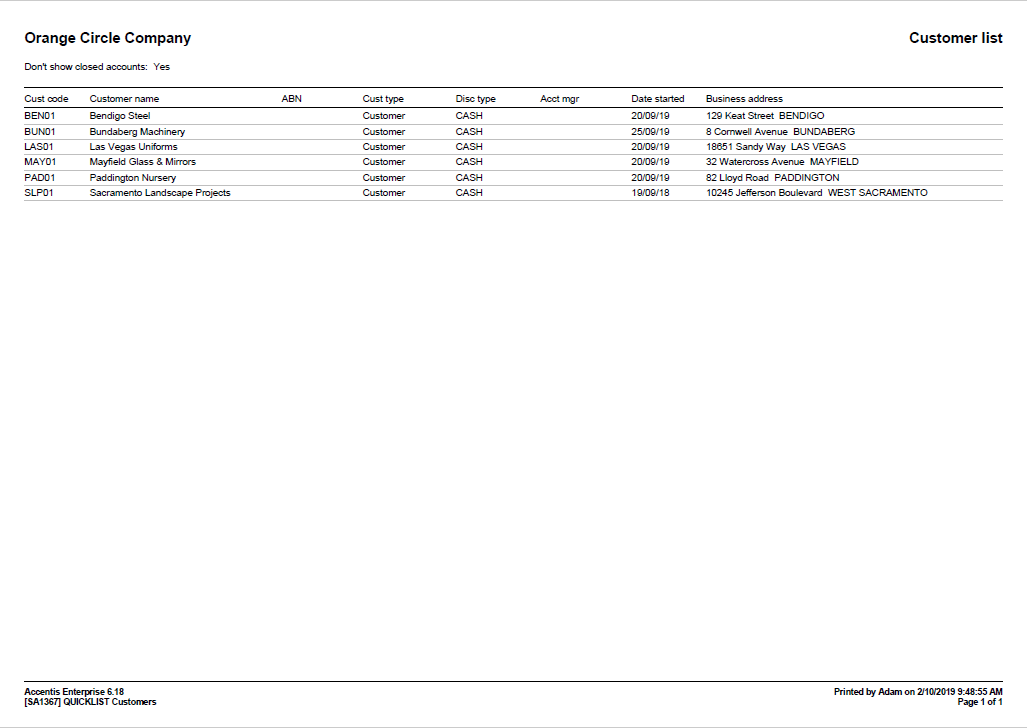
In the example below, see how the report appears without adjusting the columns and without selecting Wrap values as a PDF:

Example 2
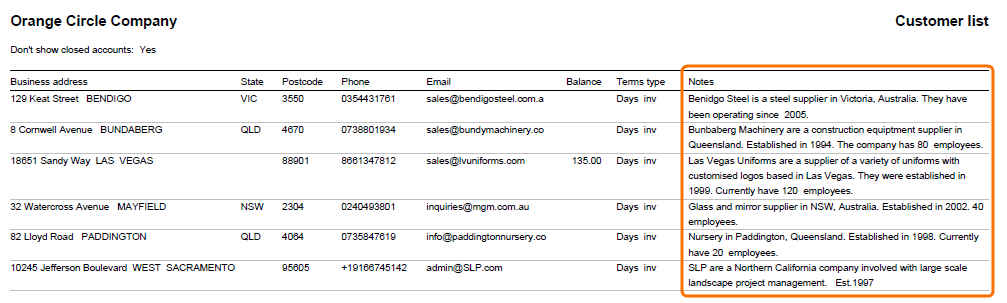
In the example below, see how the report appears with empty columns hidden, columns adjusted and by selecting Wrap values in Accentis Enterprise:

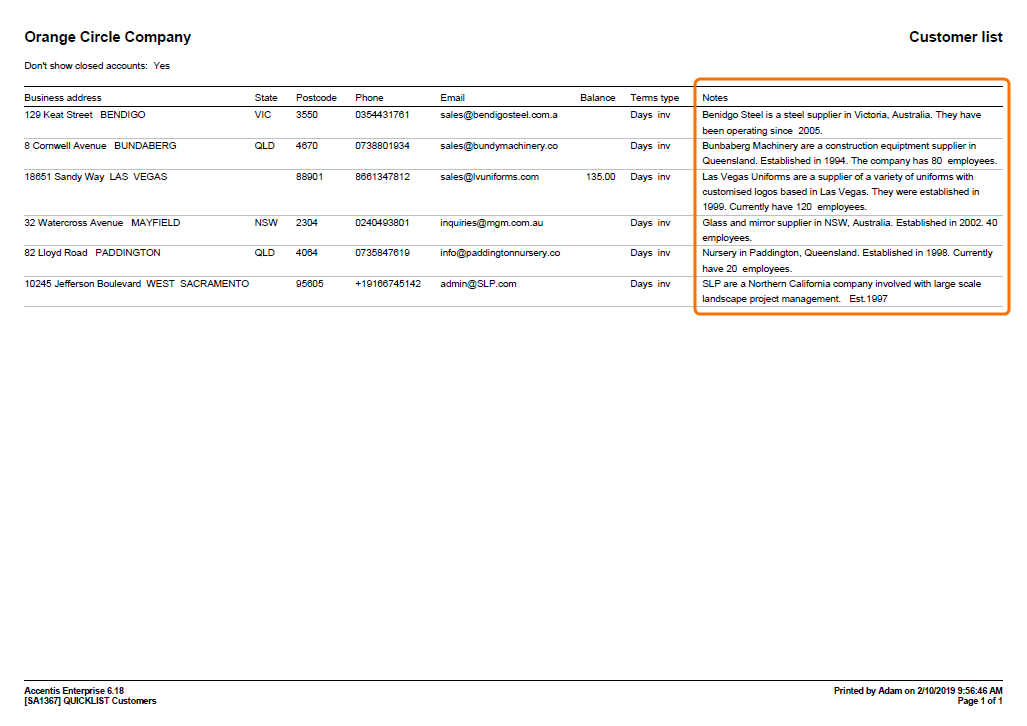
In the example below, see how the report appears with empty columns hidden, columns adjusted and by selecting Wrap values as a PDF:
Did you find this article helpful?
If this article is missing information, ambiguous, or didn’t give you clear instructions, let us know and we will make it better! Please email us and quote the KB# in the top right of this article to let us know why it didn’t help you out and we will point you in the direction of additional information.
Last edit 02/10/19