Table wizard
Information is under review for a new version and will be updated soon.
 Features
Information is under review for a new version and will be updated soon.
Table wizard form
Module: System
Activation: Main > System > Database administration > Table wizard
Special actions available for users with Administrator permissions:
- None
Database rules:
- None
Field definitions
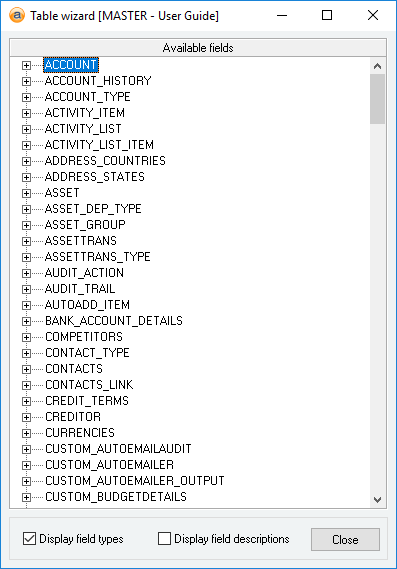
Available fields
The available fields list displays all tables and fields stored in the current database. The list is shown in a tree format, with the Tables at the top level which can then be opened to show the fields within a table.
The Available fields list supports dragging and dropping of table and fields names into the Query and Dialog designer windows. The following enhancers are also supported when dragging and dropping.
- CTRL: Holding down CTRL causes the Table name to be included in the dragged text. This enhancer only takes effect when dragging a fieldname.
- [Format: TableName.FieldName]
- SHIFT: Holding down SHIFT causes the dragged Table/Fieldname to be pre-pended with a comma to allow easier inserting into query strings. The SHIFT enhancer can also be used in conjunction with the CTRL enhancer.
- [Format: TableName.FieldName]
- ALT: Holding down ALT causes the dragged Table/Fieldname to be pre-pended with the SELECT keyword to allow easier inserting into query strings. The ALT enhancer can also be used in conjunction with the CTRL enhancer.
- [Format: SELECT Tablename.FieldName]
Display field types
Reference: Yes/no
Information is under review for a new version and will be updated soon.
Display field descriptions
Reference: Yes/no
Information is under review for a new version and will be updated soon.