Running commands in Accentis Enterprise
Overview
Commands are available for all modules within Accentis Enterprise. You can access commands for your system by going to the module menu > Command.

Nearly all menus will have a command option, but they don't have to. There can be standard commands or some that have been customised for your system only. All commands will do things to your database, such as import, change or delete data.
Command box
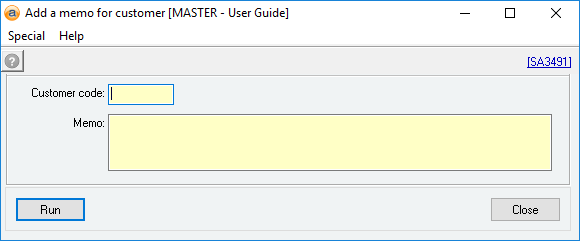
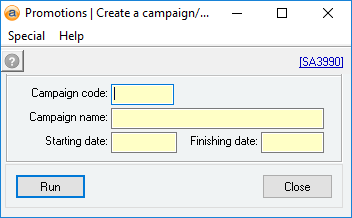
Toolbar options
 Help button
Reference: Button
The help button (question mark) will display user notes or online help if any exists. It will display the same information that is available under the Help menu, if any.
Last edit 29/01/20
Hyperlink
Reference: Link
This displays a link to the current command in the Command manager. This is the same link reflected on the search toolbar.
Last edit 29/01/20
Field definitions
Fields will change depending on the command and the module that it is used in. They will correlate directly to the form that the command will be run on.
Special menu
Add this command to the Toolbar
If you use this command often, you can add it to the Toolbar for quick access in the future.
Last edit 29/01/20
Help menu
Display user help file
If there is an online user help file available, it will display here. This will show the same information as the help button in the toolbar on the top left.
Last edit 29/01/20
Display user notes
If there is any user notes available, it will display here. This will show the same information as the help button in the toolbar on the top left.
Last edit 29/01/20
Request a command
If you feel that your system could benefit from a specific command for your database, contact Support to find out more.
Last edit 29/01/20