How to purchase stock items directly to a job
Overview
Receiving goods from a Purchase order, regardless of whether the goods are destined for a Job, is not a Job cost until the stock is consumed to the Job (e.g. through a Work order or Stock assignment).
Accentis Enterprise allows you to flag a Purchase order as Direct to Job. When goods are received for a Purchase order flagged as Direct to Job, they are immediately consumed to the linked Job.
This process only applies to Stock items as Non-stock items are automatically received directly to a Job.
Flagging a Purchase order as Direct to Job
When creating a Purchase order, the Direct to Job flag can be assigned to all lines, or to any line individually.
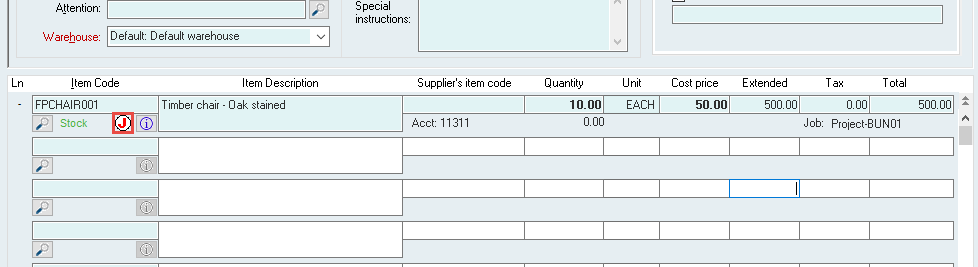
You can easily see if a Purchase order line has been flagged as Direct to Job by checking for the red J symbol. Any line that has this symbol is flagged Direct to Job.
Flagging all lines as Direct to Job
- On the Purchase order, enter the relevant Job in the Job code field.
- a. If you are intending to flag all lines as Direct to Job, but not to the same Job, you can update the linked Job for the lines individually through the Purchase order line details button.
- Select the Default to Direct to Job button.
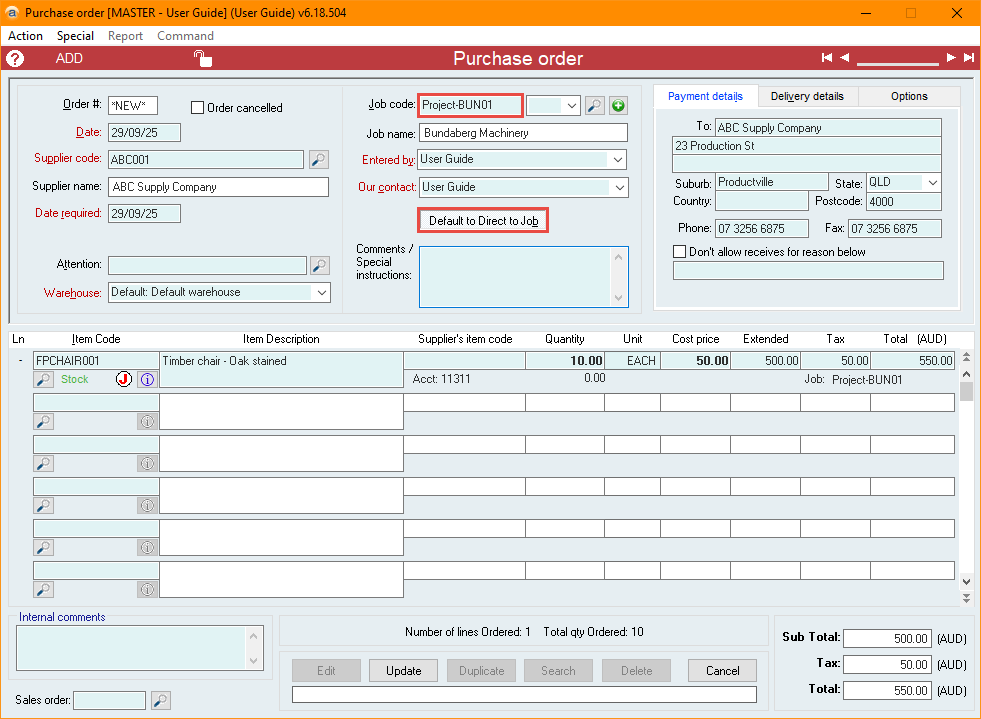
- Enter all other relevant details for the Purchase order.
- Select Update to confirm your changes.
Flagging lines as Direct to Job individually
- On the Purchase order, enter all relevant details.
- Select the Purchase order line details button for the relevant item.
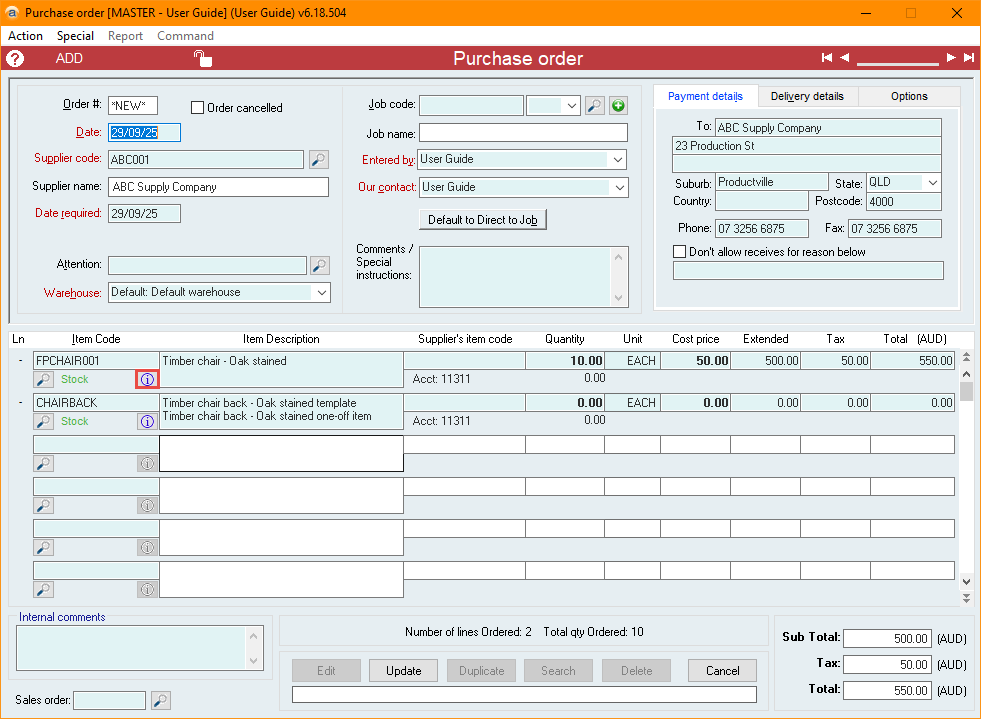
- Enter the relevant Job in the Job code field.
- Tick the Receive Direct to Job checkbox.
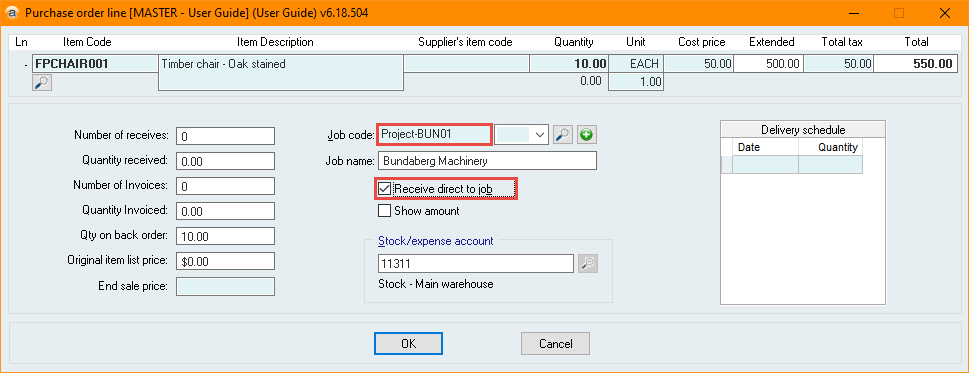
- Select OK, then select Update to confirm your changes.
How are transactions affected by Direct to Job?
When a receive is processed, the following transactions occur:
- The Stock on hand account is debited.
- The Un-invoiced receives account is credited.
If the receive has the Direct to Job flag, then the following transactions also occur:
- The Stock on hand account is credited.
- The Cost of Goods Sold account is debited.
- If the Job has a WIP account and is not flushed, the WIP account will be debited instead.
- If the Job has a flush cost account and is flushed, the Flush account will be debited instead.
Additional information
- Once a Job is flushed, the Direct to Job flag cannot be changed.
- Once a receive is invoiced, the Direct to Job flag cannot be changed.
- If an item has a Comment Item type, the Receive Direct to Job tickbox is disabled and automatically unticked.
- If an item has a Non-stock Item type, the Receive Direct to Job checkbox is disabled.
Did you find this article helpful?
If this article is missing information, ambiguous or didn’t give you clear instructions, let us know and we will make it better! Please email us and quote the KB# in the top right of this article to let us know why it didn’t help you out and we will point you in the direction of additional information.
Last edit: 07/10/25