Why is my Live Data Widget not showing any data?
Quick Answer
The search is inactive, unavailable to be used as a Live Data Widget, or you do not have permissions to run it.
Overview
Accentis Enterprise allows you to view data from your searches directly on your toolbar, by adding them as Live Data Widgets (LDWs).
In order to protect the information in your database, Live Data Widgets may appear blank instead of displaying the linked search.
To indicate why a Live Data Widget is blank, its title will change to one of the below messages:
- <Inactive>
- <Search unavailable as LDW>
- <Permission denied>
LDW shows <Inactive>
If the title of your LDW shows as <Inactive>, it is not displaying because either:
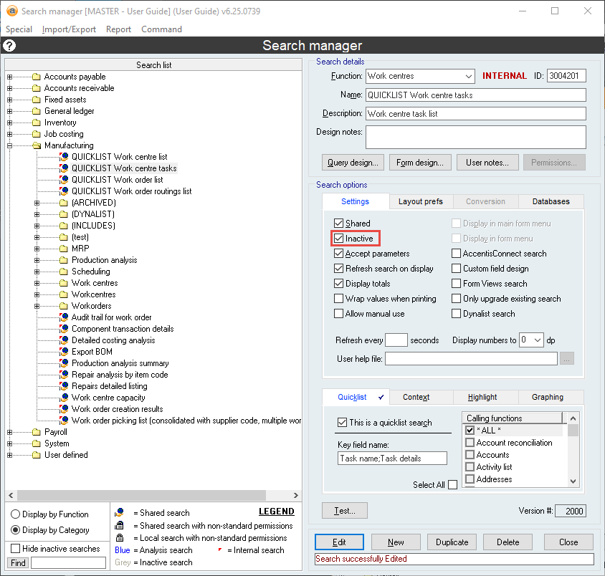
- The search is ticked as Inactive in the Search manager.
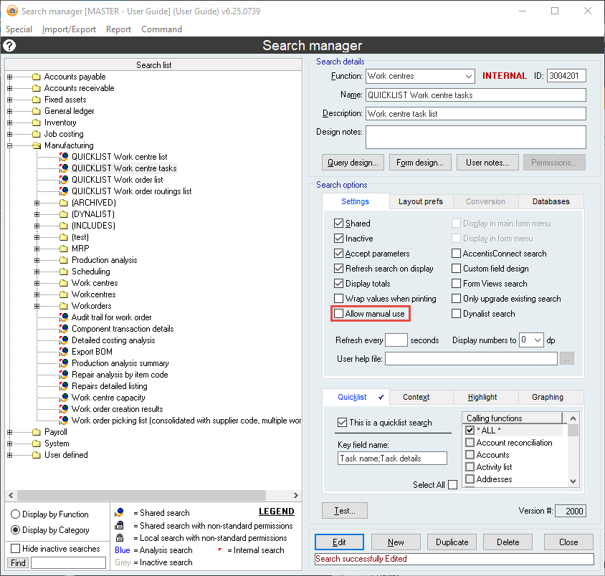
- The search is not ticked as Allow manual use in the Search manager.
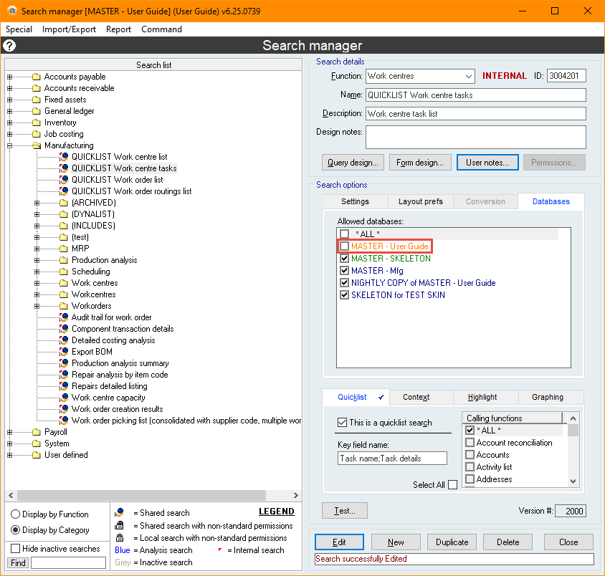
- Your current database is not ticked in the Allowed databases list in the Search manager.
LDW shows <Search unavailable as LDW>
If the title of your LDW shows as <Search unavailable as LDW>, it is not displaying because either:
- The search ID specified for the Live Data Widget corresponds to a command and not a search.
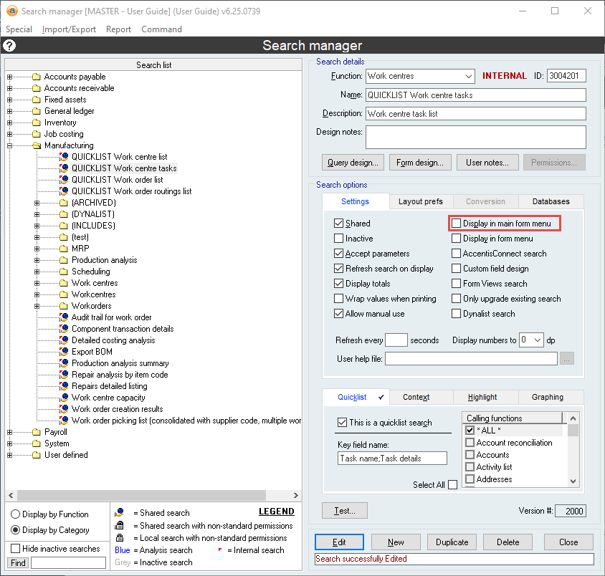
- The search is not ticked as Display in main form menu in the Search manager.
LDW shows <Permission denied>
If the title of your LDW shows as <Permission denied>, it is not displaying because you don't have the necessary access to view the linked search.
To check what permissions are required, please see How do I know what permissions are needed to run a Search?.
Did you find this article helpful?
If this article is missing information, ambiguous or didn’t give you clear instructions, let us know and we will make it better! Please email us and quote the KB# in the top right of this article to let us know why it didn’t help you out and we will point you in the direction of additional information.
Last edit: 30/07/2026