Setting up OAuth
Overview
Outlook OAuth is a secure authentication standard used by Microsoft that allows you to connect your email to third-party apps, such as Accentis Enterprise, without sharing your actual password.
Instead of typing your password into an app, OAuth grants the app a digital token that proves your identity. This keeps your account secure and allows you to revoke the app's access at any time without changing your main email password.
This guide details the process for the initial setup for your database, and the process each user needs to follow to authorise themselves.
Basic steps to setup OAuth
For IT team
1. Register Accentis Enterprise in the Microsoft Azure Portal
2. Create a secret value for Accentis Enterprise
3. Add permissions for Accentis Enterprise
4. Enter authorisation details into your database
For users
5. Authorise users in Accentis Enterprise
 For IT team
To enable OAuth in Accentis Enterprise we need to first have your IT team setup your Microsoft 365 tenancy.
This section is for IT staff and administrators who need to:
- Configure Accentis Enterprise to send emails through OAuth for the first time.
- Refer back to this document to renew the expiry for Accentis Enterprise's authorisation.
1. Register Accentis Enterprise in the Microsoft Azure Portal
- Navigate to Microsoft Azure - Registered Apps and login as an admin user.
- Click New registration.
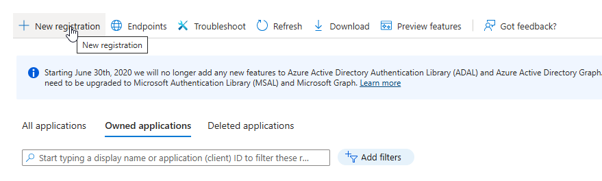
- On the Register an application page, enter the details as below:
- Name - This can be anything. Set it to something that easily identifies that this is for Accentis so that you can refer back to it later. We recommend "Accentis SMTP".
- Supported account types - Leave this set as it is.
- Redirect URI (optional) - Select "Web" from the dropdown list and enter "http://localhost:3017"
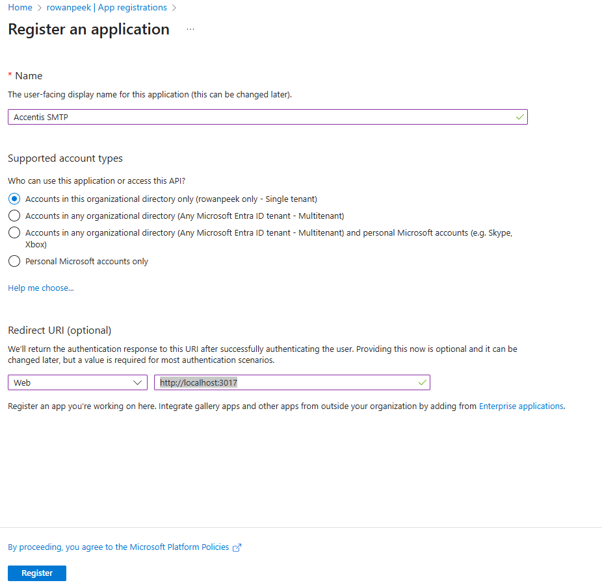
- Select Register.
- Make note of the Application (client) ID and Directory (tenant) ID as you will need to enter these into Accentis Enterprise later.
2. Create a secret value for Accentis Enterprise
- From the navigation menu on the left, select Certificates & secrets and navigate to the Client secrets tab.
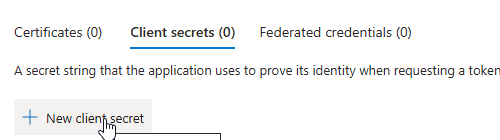
- Select New client secret, and enter the details as below:
- Description - This can be anything. Set it to something that easily identifies that this is for Accentis.
- Expires - Set this based on your organisation's security preferences. You will need to generate a new client secret every time your current one is about to expire to maintain authorisation.
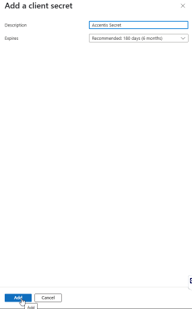
- Select Add.
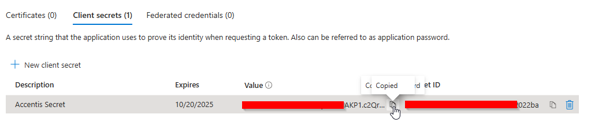
- Copy the secret Value and make note of it as you will need to enter it into Accentis Enterprise later.
- The client secret cannot be accessed again once it is closed. If you forget to copy your secret value, you will need to create a new client secret.
3. Add permissions for Accentis Enterprise
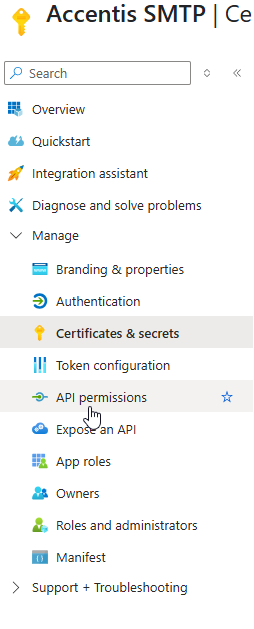
- From the navigation menu on the left, select API permissions.
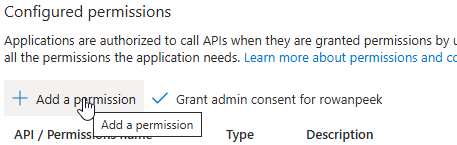
- Select Add a permission.
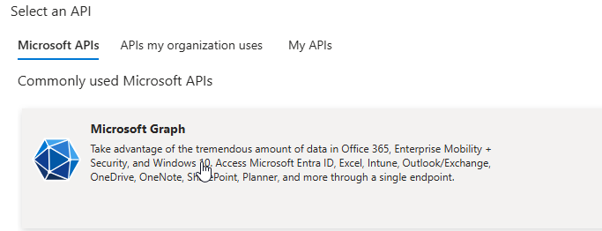
- From the Microsoft APIs tab, select Microsoft Graph.
- Select Delegated permissions.
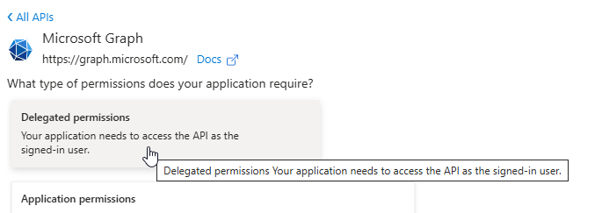
- In the search box, type "smtp.send"
- In the Permissions list, expand the SMTP section and tick the box for SMTP.Send.
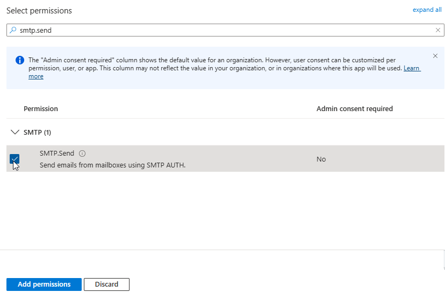
- Select Add permissions.
4. Enter authorisation details into your database
- Log into your Accentis Enterprise database.
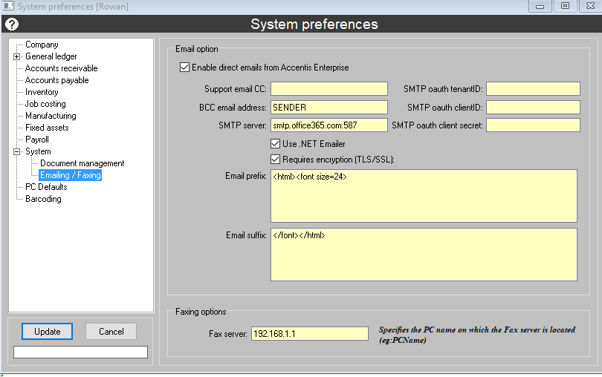
- Navigate to the System preferences form (System > Preferences…) and select System > Emailing / Faxing tab.
- Select Edit and enter the below details:
- Enable direct emails from Accentis Enterprise - Ensure this checkbox is ticked.
- SMTP oauth tenantID - Enter the Directory (tenant) ID you noted from 1. Registering Accentis Enterprise.
- SMTP oath ClientID - Enter the Application (client) ID you noted from 1. Registering Accentis Enterprise.
- SMTP oauth client secret - Enter the secret value you noted from 2. Creating a secret value for Accentis Enterprise.
- SMTP server - Enter smtp.office365.com:587.
- Use .NET Emailer - Ensure this checkbox is ticked.
- Requires encryption (TLS/SSL) - Ensure this checkbox is ticked.
- Leave the other fields as they are.
For users
Each user that needs OAuth will need to authorise their account. This will only be required once per user as the tokens refresh themselves automatically.
This process needs to be performed by users themselves.
5. Authorise users in Accentis Enterprise
- On the main Accentis toolbar, press CTRL+SHIFT+R and run SA4948.
- Check Authenticate EMAIL sending FROM Accentis.
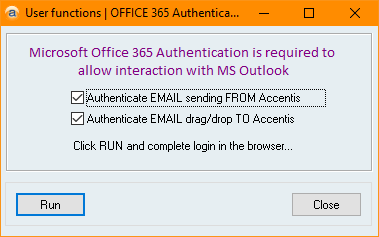
- Select Run to open a Microsoft login screen in your web browser.
- Login with your Microsoft 365 credentials.
- Once logged in, you may be required to accept additional permissions.
- If you're login is successful, you will be redirected to the below page and will receive a Successfully generated token message in Accentis Enterprise.
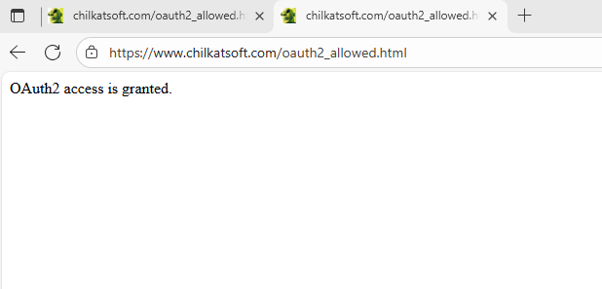
- Your account is now authorised to send emails via OAuth. In Accentis Enterprise, select File > Exit and log back in for the changes to take effect.