Why is my username not appearing in the Entered by field?
Overview
Normally, when creating a new record, the Entered by field will be automatically filled with the User ID of the current user. If this field is blank, your Users record may have the Do not display in drop-down user selection lists option ticked.
Updating User configuration
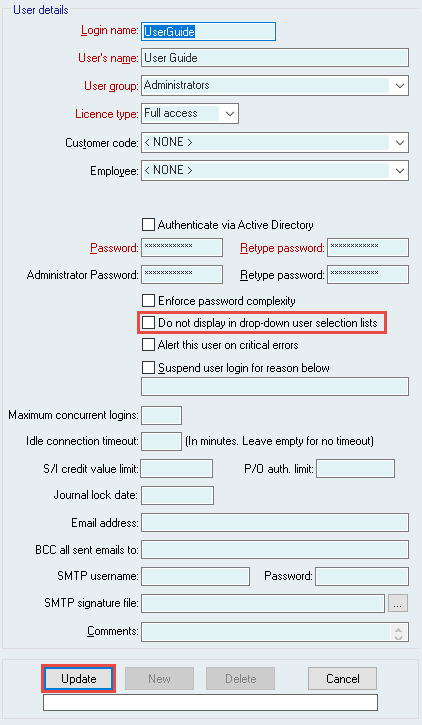
To allow the username to appear again, you will need to untick the Do not display in drop-down user selection lists option.
1. Navigate to System > Users > Users.
2. Select the relevant User's name from the List of Users
3. Select Edit and untick the Do not display in drop-down user selection lists option.
4. Select Update to confirm your changes.
Did you find this article helpful?
If this article is missing information, ambiguous, or didn’t give you clear instructions, let us know and we will make it better! Please email us and quote the KB# in the top right of this article to let us know why it didn’t help you out and we will point you in the direction of additional information.
Last edit 27/08/25